
OddsJam is arguably the best known betting tools in America, a reputation that precedes it and often this is the tool that people search for alternatives to, or measure features of betting tools against. This tool has a huge range of features, including line shopping, sharp money features, EV+ analysis, line movement tracking, promo conversion and arbitrage betting, just to list a few.
Like any big brand, OddsJam is not just a multi-functional tool with professional betting software; it is also designed with sports bettors in mind. This is one of the most user-friendly tools out there, setting a low entry level for complex betting strategies, and supplying you with the guides and coaching you need to create your own. In this betting guide we will run through the basics, show you how to use OddsJam and test out the features.



Mastering OddsJam in 7 Days
Timing is important, because you have a 7-day free trial to OddsJam if you sign up through our links. After signing up, we have some insider tricks to learn OddsJam faster, so you can make the most of your trial and get a proper idea of how this betting tool can fit into your strategy in the long haul.
OddsJam has dashboards for each of its tools, separating the various functions by associated betting strategy. For example, the Sportsbook Screen is the main board for line shopping, where you can view best odds, average odds, and filter by betting markets, among other features. This is a tool in its own right, as is the OddsJam arbitrage dashboard, where you can browse generated arbitrage pairings and check their ROI, adjust the stakes and mix the results by changing the sportsbooks. The point is, all the various tools at OddsJam have specially curated features such as filters, favorites, EV breakdowns, a toggle for pregame/live options, and line movement metrics – where applicable.
Mastering OddsJam is all about getting comfortable with these dashboards, learning how to set up filters and favorites (Quick Markets, Popular Leagues) so that when you do sit down to look for your next bets, you can optimize your time. There is a Bet Tracker feature too, working behind the scenes, with advanced bankroll management, OddsJam sportsbook syncing, and superior historical betting analytics so you can tweak your strategies for the future.
#1. Account Creation
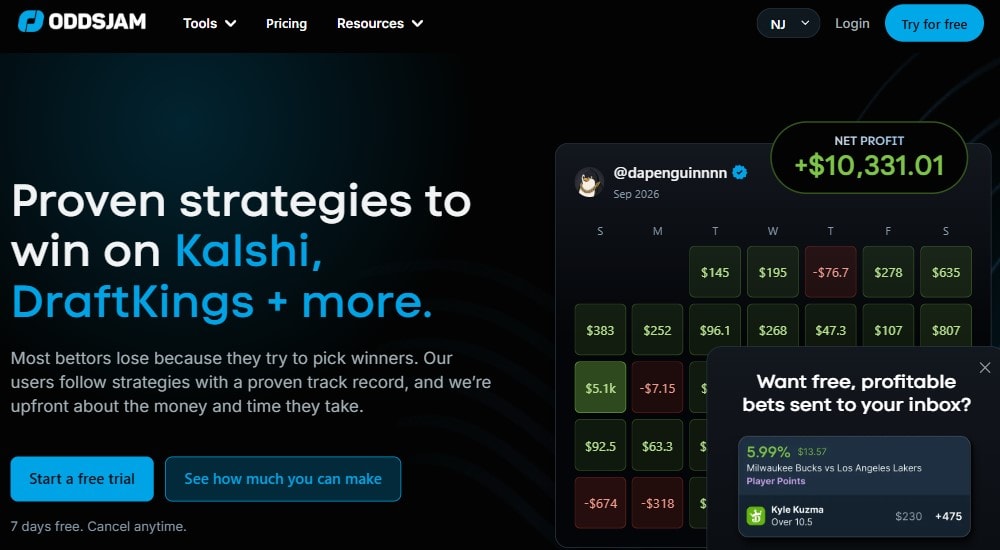
You start by signing up to OddsJam, and (again) if you do this through our links you can claim a 7-day free trial. The goal is to learn as quickly as possible and apply the betting software to your next bets within that timeframe. So pick between one of the OddsJam subscription packages, our recommendation is to pick one of the main subscriptions (not the OddsJam extras like Starter screen plan, or OddsJam fantasy).
Choose between:
Sharp Money
$6.60 per day (~$198 monthly) Monthly Billing
$5.40 per day ($162 monthly) Annual Billing
Platinum
$16.60 per day (~$498 monthly) Monthly Billing
$13.60 per day (~$408 monthly) Annual Billing
It is best to start with the Platinum because this gives you access to all the tool dashboards and features. If you don’t need them all, you can always cancel the subscription and then get one of the OddsJam extra subscriptions or the Sharp Money, depending on which tools you are after.
Sign up by clicking on the subscription you want, entering your payment details, and then completing the account registration form.
#2. Finish Your Profile
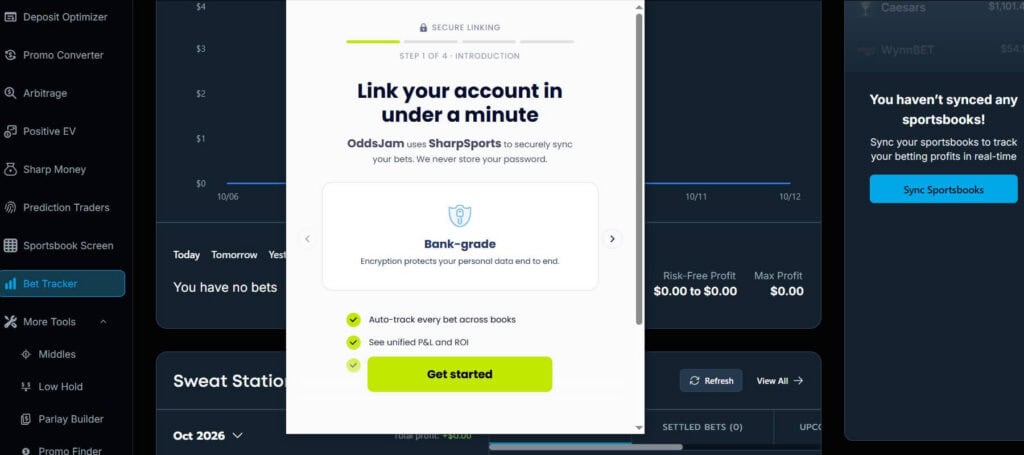
Most users do this later, but we want to save time and use your OddsJam free trial to its best potential. So after creating an account, head to the Bet Tracker dashboard and click on Sync Sportsbooks. This will open a dialogue box by SharpSports with a form you can complete. You will need to download the SharpSports Browser Extension to complete the link from your OddsJam account to your sportsbook accounts. But after this is done, it will drastically speed up your tracking and bankroll management.
The next hack is to head to the Profile Settings, click on General Settings, and then set up your Quick Markets and Popular Leagues. There are Excluded Books, Bankroll Settings, and Injury Notifications but you don’t need to worry about these for now. The reason you set up your Quick Markets and Popular Leagues is that afterwards, when you are browsing arbitrage bets, hunting EV or using any of the other tools, you can get to the relevant sports games and markets much quicker.
#3. Start Testing the Tools
Get familiar with the dashboards, OddsJam has:
- Deposit Optimizer
- Promo Converter
- Arbitrage*
- Positive EV*
- Sharp Money
- Prediction Traders*
- Sportsbook Screen
- Bet Tracker
- Middles*
- Low Hold*
- Parlay Builder*
- Promo Finder
*Selected tools only available to Platinum or specialist subscriptions
Get a feel for the filters, how the dashboards work, and what they have to offer. Then, you can start implementing them into your strategy.
OddsJam Strategies
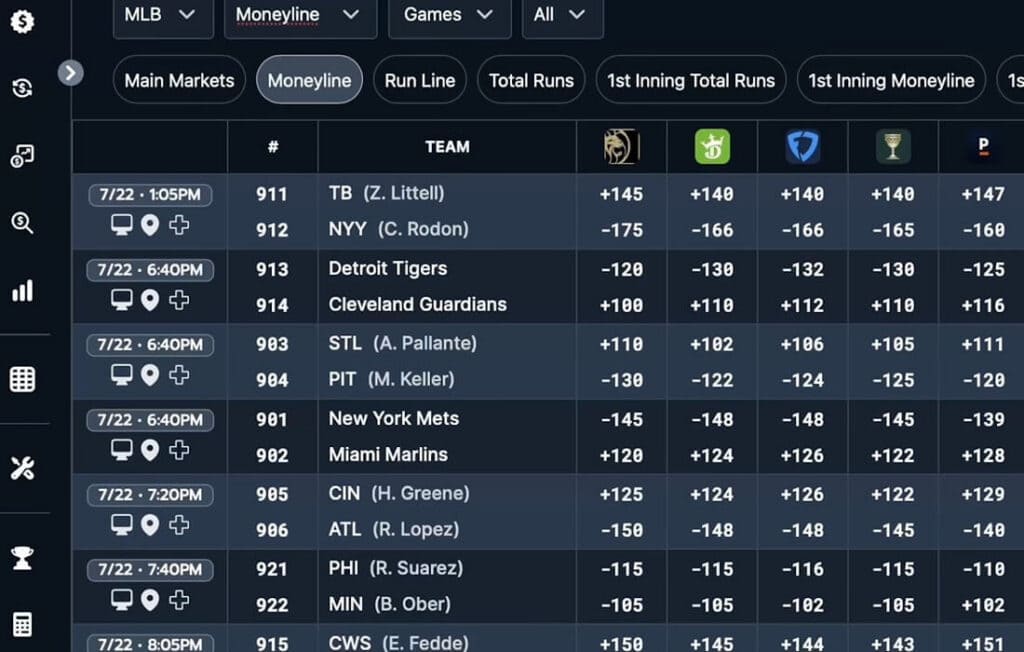
The Sportsbook Screen is the best place to start as this is where you can do quick line shopping, test your filters to quick-search specific leagues, games, even betting markets, and test the scanner features such as Show Opening Prices, Show Previous Prices, and Refresh. Test the sportsbook syncing by clicking on any bet, and if your sportsbook account is linked, it sets up the bet in your sportsbook account – ready for confirmation.
Line shopping at OddsJam can go into much more detail with line movement history and charts that record these, giving you a better idea of which direction the odds lines at different sportsbooks are converging towards. Click on any game or betting market, and you can draw up the full chart of odds prices, movements, averages and the calculated fair lines.
EV+ Betting
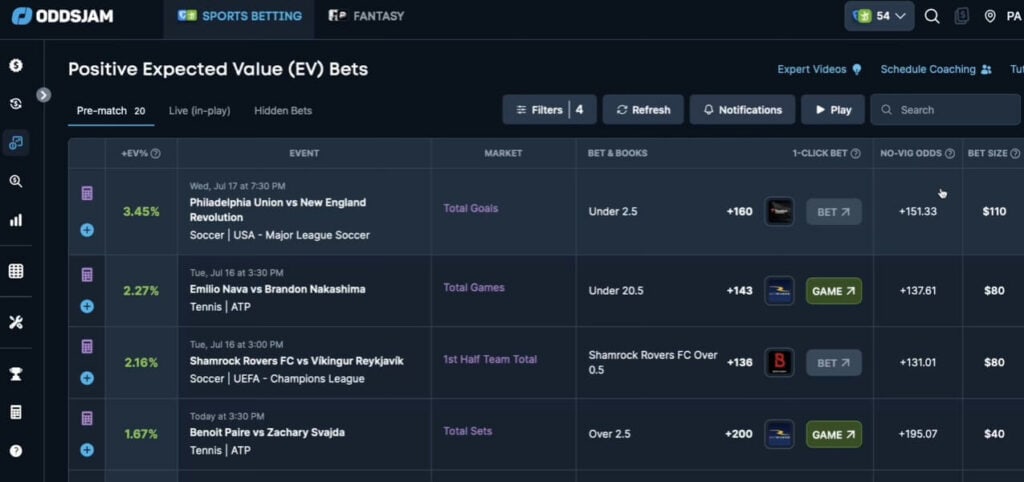
EV+ is part of the Platinum subscription and one of the core strategy tools at OddsJam. The dashboard is different from the Sportsbook Screen, instead of listing out EV bets for all upcoming games, you are filtering by sportsbooks, leagues and markets, and ROI preferences. OddsJam +EV displays the relevant betting picks, showing you figures for Probability, No-Vig Odds, Width, and the exact time the odds were updated.
You can also set notifications for “Peak Time” alerts, and OddsJam gives you an indication of when these peak times could be. This approach gives you more control over what you are seeing, you are not looking for random +EV betting picks, but tailoring the search to look for the wagers that you would realistically place, and giving you the metrics to see whether or not the edge is worth the hit.
Arbitrage Betting at OddsJam
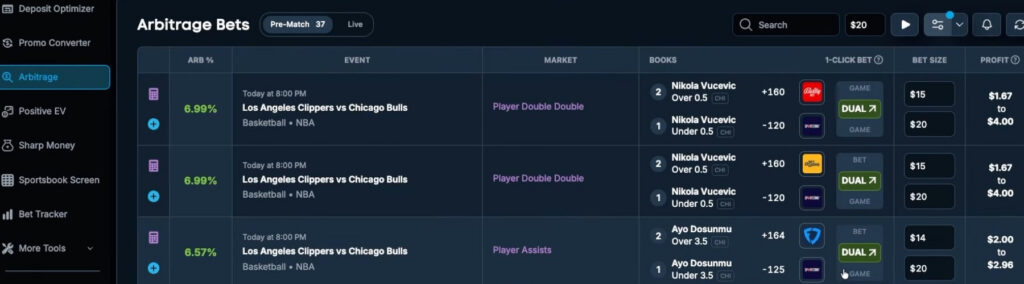
Similarly, the Arbitrage dashboard follows a similar flow. You set up your filters, either leaving them open or closing down the conditions for Min/Max Odds, Percentage, Leagues, Markets, In-Game Status (live or pregame), and very importantly, Bet Warnings. This last condition filters for risky, SGP, conflicting and previously placed arbitrage bets.
Test these settings for yourself, filtering for arbitrage betting pairings and don’t hold back on specifics. OddsJam sources odds from over 100 sportsbooks and alternative sportsbooks (P2P, prediction markets, social sportsbooks, DFS). Set your Bet Size on the main Arbitrage dashboard, and then load the results. You will see all the relevant picks, with books, arb % (ROI), and profit margins. Then, test the 1-click bet feature by clilcking on the Bet button. Again, sportsbook syncing will do its thing and save you the time of finding your arbs.
Promo Conversion
The third core strategy that OddsJam is most famous for is its promo conversion, or matched betting. Before going forward, it is important to note the Deposit Optimizer which calculates deposit amounts to optimize sign up bonuses, and the promo finder that locates bonus bets for you. These are useful, but focus heavily on sign up bonuses.
The Promo Conversion tool, however, doesn’t stop there. You can manually enter what kind of bonus bet you have or even cover other types of bonus – OddsJam allows you to set promo type to: Bonus Bet, Site Credit, Profit Boost, and No Sweat Bet. Enter the sportsbook and the bet amount, and then you can start looking for worthy matches.
Again, just like with the arbitrage dashboard, you can customize the filters and narrow down the matched betting criteria until you find convenient (and higher ROI) hedged bets.
Tracking Your Bets
OddsJam bankroll management tools don’t get praised as much as they should, this tool has the most advanced bet trackers and historical bet analyses we have encountered. Where other tools only show you Profits, ROI, Win/Loss, and Total Stake, OddsJam goes a lot further.
The real value is in details such as Beat Closing Line Value %, profits by bet type/sportsbook, odds range won charts, and CLV by sportsbook. As a starter, you won’t have large historical records here, unless you tracked your bets on another tool (or by yourself), and then you can import Excel or CSV files into OddsJam. There may be compatibility issues with this, and if you are just starting, its probably not worth the time or hassle to get into. Instead, though, you can track the bets you place during your free trial, and it is also useful to check the Following tab, where you can look for other OddsJam users who have made their bet trackers public.
Also, for those bets you place during your trial, you can monitor them in the bet tracker’s Sweat Station. This is a dashboard within the Bet Tracker dashboard, where you can check out the progress of your ongoing wagers across multiple sportsbooks – all in one place. For arbitrage or matched bettors, or any bettor who has multiple bets running at different sportsbooks, this is where you can read those metrics in real-time and jump to any bet with the 1-click function. This tool is one of the most powerful functions of OddsJam, especially if you use cashouts or make live bets.
Manage Your Subscriptions
At any time you can manage your OddsJam subscriptions by heading to the Profile, and click on Manage Subscriptions. You can upgrade or downgrade your chosen subscription, or even change to one of the more specialist packages (Fantasy Optimizer, Starter Sportsbook Screen, Prediction Traders).
Upgrade to a larger subscription and this will come into effect immediately. For example, upgrading from Sharp Money to Platinum. You will get billed the difference between the money you paid for the current subscription and the amount needed for the upgrade. It will last until the end of your billing cycle. So you don’t lose the money from your lower-tier subscription, and you can simply pay the remainder to get the higher-tier package.
A downgrade doesn’t work this way. When you downgrade your OddsJam subscription, let’s say from Prediction Traders (for prediction markets) to the Starter Screen Plan, then you still have the Prediction Traders subscription until your billing cycle ends. Then, you get charged for the Starter Screen Plan, and a new billing cycle starts.
How to Cancel Your Subscription
Should you want to end your OddsJam subscription (right before the free trial ends, or at any time after you are a paying member), you can do this by looking for the Active Subscription and clicking on Cancel Plan. For the trial, you will continue to have OddsJam access until the trial period is over, even if you cancel the subscription after the first day. Our advice is to do this early if you don’t want to continue at OddsJam, don’t leave it to the last minute.
In any case, if you run into any problems you can always reach out to the OddsJam customer support team.
OddsJam Verdict
OddsJam has loads more dashboards to explore, spanning middles bets, low holds, prediction markets (in the Prediction Traders subscription), and even parlay building. Then, there is the Fantasy side of the platform that has similar trackers, promo finders and the Fantasy Optimizer which works similarly to the EV dashboard. It is not a difficult platform to use, and the settings are easy enough to tweak to save time and make the tool work to your needs.
Ultimately, OddsJam lives up to the price tag through high-performance trackers, detailed insights, and superior customization tools to what you get elsewhere. It is not priced for the casual or low-budget bettors, but rather for the intermediate to expert bettors, high volume bettors, and the high rollers who are looking to tweak their edges.
OddsJam Alternatives
Context is always useful for understanding what you get for your money and just how good (or not) the OddsJam tools are. Here are some of OddsJam’s biggest competitors, you can read more about them in our full reviews.